
What Is Left 4 Dead 2?
Left 4 Dead 2 is a cooperative first-person shooter developed and published by Valve, first released on November 17, 2009 for Windows and Xbox 360, with Mac and Linux versions following later. Four survivors fight through five campaigns set in the American Deep South, from Savannah to New Orleans, against hordes of infected controlled by an adaptive system called the AI Director.
The Android question needs a straight answer at the top of this page, because it is the reason most visitors arrive here. Valve has never released an official Android version of Left 4 Dead 2. There is no official Left 4 Dead 2 APK, no official version number for Android, and no official file size. Any page that lists one is inventing it. This guide exists to give you the real facts, the real ways to play the game from a phone, and a clear warning system for the fake files that use this game's name.
What the game itself offers is well documented. Five expansive campaigns, four new survivors (Coach, Ellis, Nick and Rochelle), more than 20 weapons including a full set of melee options, three new Special Infected on top of the returning cast, and the AI Director 2.0 reshaping every run. Those are PC and console facts, and this page keeps them labelled that way.
Left 4 Dead 2 on Android: The Plain Status
The official platform list for Left 4 Dead 2 is Windows, Mac OS X, Linux and Xbox 360. Android is not on it, and neither is iOS. Valve's own store listing for the game shows those platforms and no mobile release, and nothing in the listing has changed that position since launch.
Unofficial fan projects do exist under this keyword. Players have experimented with Source engine ports and recompiled builds that need game files you already own on PC, and streaming routes can put the real game on a phone screen. None of those projects is a Valve product, none is an official APK, and their version numbers and file sizes change from build to build, so this site does not publish invented figures for them.
The one phone route that uses only official software is Remote Play. Valve's store listing for Left 4 Dead 2 carries Remote Play on Phone and Remote Play on Tablet support, which means the game runs on your PC and streams to your phone over your home network. Our guides walk through that setup step by step.
What's New: The Last Stand Update
The Last Stand is the most recent major content update for Left 4 Dead 2, built with the community and released as a free update for the PC version. It is the closest thing this game has to a current changelog, so it is the update this page tracks.
- The Last Stand campaign, a full new campaign built around the lighthouse finale from the original game's Crash Course storyline.
- New and reworked Survival maps, giving the holdout mode a much larger rotation.
- New melee weapons and refreshed animations, models and effects across the game.
- A long list of fixes and quality changes gathered from years of community reports.
- Versus mode balancing changes and new achievements to earn.
Note what this section does not do: it does not attach a version number or a file size to an Android build, because no official Android build exists to attach them to. The update applies to the Windows, Mac and Linux versions of the game.
Main Features of the Game
- Four-player co-op campaigns: five campaigns across the Deep South, playable solo with AI teammates or online with three friends.
- AI Director 2.0: an adaptive system that changes enemy placement, weather, routes and pacing based on how your team is performing.
- Eight Special Infected: the Hunter, Smoker, Boomer, Tank and Witch return, joined by the Charger, Spitter and Jockey.
- Melee weapons: axe, chainsaw, frying pan, baseball bat, katana and more sit alongside more than 20 firearms.
- Versus and Survival modes: play as the Special Infected against a survivor team, or hold a location against endless waves.
- Four survivors with full dialogue: Coach, Ellis, Nick and Rochelle carry thousands of lines of situation-aware dialogue.
- Workshop support on PC: community campaigns, weapon skins and mods extend the game far past its original content.
The Five Campaigns
Each campaign is a chain of chapters ending in a finale and an escape. Dead Center opens in a burning Savannah hotel and ends with a stock car fuel run. Dark Carnival moves through a fairground to a rock concert finale. Swamp Fever crosses bayou country, Hard Rain runs a flooded town in both directions through a storm, and The Parish ends with a bridge run through New Orleans. The original Left 4 Dead campaigns are also included in the PC version, so the full route list is longer than five.
Game Screenshots
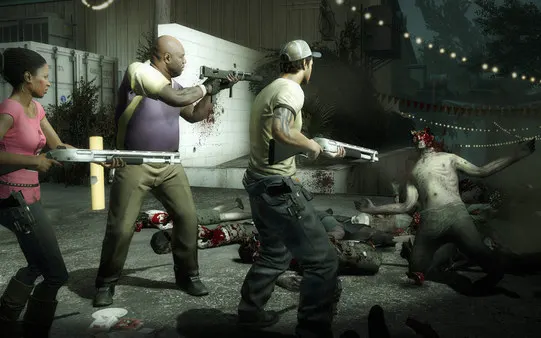
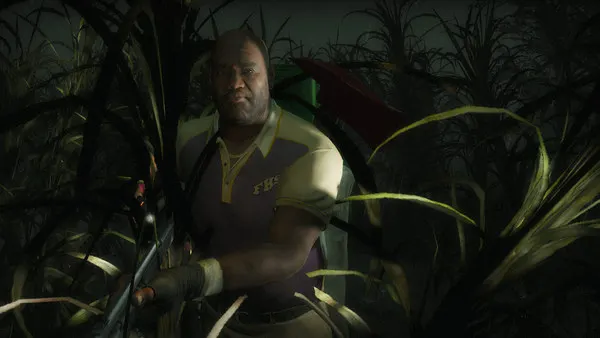
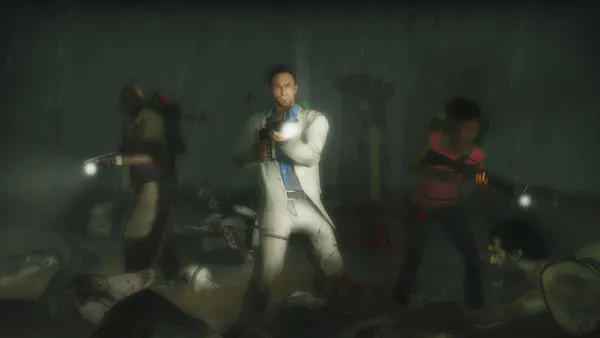
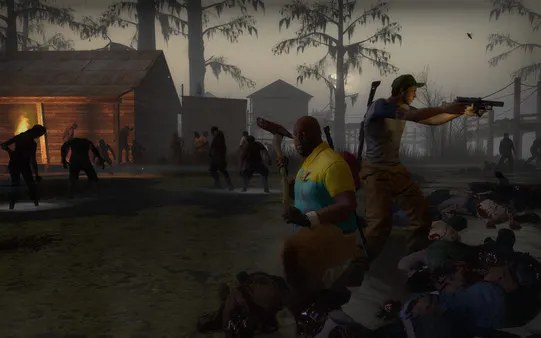
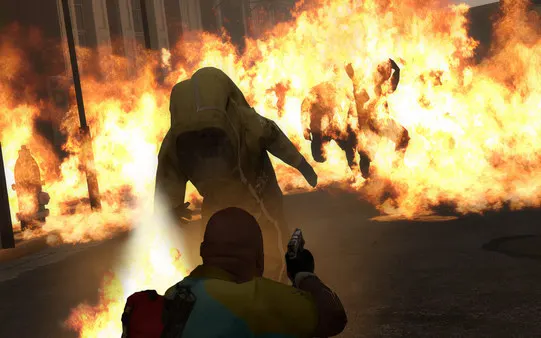
The stills below are official screenshots of the PC version of Left 4 Dead 2, published by Valve on the game's store page. They are game screenshots, not phone screenshots, and they are labelled that way on purpose: there is no Android build to take phone screenshots from.

Safety & Verification: Spotting a Fake APK
Because no official Android version exists, every file that calls itself the official Left 4 Dead 2 APK is mislabelled by definition. That single fact is the strongest safety check there is for this keyword, and it costs nothing to use.
- Check the publisher first: Valve publishes its own platform lists. If Android is not on the list, the file is not official, whatever its page claims.
- Distrust invented figures: a made-up version number, file size or download count for an Android build is a warning sign, not a detail.
- Read permission requests: a game file that asks for contacts, messages or accessibility access on install is asking for things no shooter needs.
- Keep one rule: if a download page cannot say who built the file and where it came from, close the page.
Our review process for this title started at Valve's own listing, checked the platform list and the Remote Play support flags, and searched for any verifiable Android release. The finding was consistent across sources: PC and console only. The full method is written up on the How We Review page.
How to Play on a Phone: Remote Play Setup
You cannot install an official APK of this game, but you can play the real game on your phone screen through Remote Play streaming from a PC you own. The steps below use only official software.
- Install Left 4 Dead 2 on your PC from your game library, and let it finish updating.
- Install the official streaming app on your Android phone and sign in with the same account you use on the PC.
- Put the phone and the PC on the same home Wi-Fi network. A 5 GHz connection gives the smoothest picture.
- Open the streaming app on the phone, select your PC, and complete the pairing code the first time you connect.
- Select Left 4 Dead 2 in the streamed library and press Play. The game runs on the PC; the phone shows the picture and sends your inputs back.
- Pair a Bluetooth controller with the phone for campaign play. Touch controls work for menus, but a controller is the practical choice for a shooter.
How to Update
There is no Android build to update. The PC version updates automatically through its library client whenever Valve publishes a patch or content update, and the streaming app on your phone updates through its own store listing like any other app. If a page offers you an updated Left 4 Dead 2 APK with a new version number, it is offering a file Valve never shipped.
Device Compatibility
The game itself runs on Windows, Mac and Linux PCs and on Xbox 360. The official PC minimum specification asks for a 3.0 GHz Pentium 4 class processor, 2 GB of RAM, a shader model 2.0 graphics card and 13 GB of storage, which is modest by current standards. For the phone streaming route, any recent Android phone that can run the streaming app and hold a stable 5 GHz Wi-Fi connection can act as the screen and controller hub. Our own streaming checks used a Galaxy A55, a Pixel 8, a Redmi Note 13 Pro, an Infinix Note 40 Pro and a Galaxy A13.
Technical Details
- Engine: Source, Valve's in-house engine, in the updated branch built for the Left 4 Dead series.
- Players: 1 to 4 in co-op campaigns, up to 8 in Versus mode.
- Modes: Campaign, Versus, Survival, Scavenge and Realism, plus single player with AI teammates.
- PC storage: 13 GB available space per the official system requirements.
- Controller support: full controller support listed on PC, which also makes the phone streaming route practical with a paired pad.
- Online features on PC: achievements, cloud saves, Workshop content and anti-cheat protected servers.
Why Players Still Download This Game on PC
Seventeen years of shooters have not replaced this one, for three concrete reasons. The AI Director makes every campaign run play differently, so replay value is built into the system rather than the map list. The co-op design forces real teamwork: wandering off alone is punished by design, not by difficulty spikes. And the PC version's Workshop keeps adding community campaigns, which is why the player base is still active long after launch.
Pros and Cons
Pros
- Five strong campaigns plus the full original game's campaigns on PC.
- AI Director 2.0 keeps repeat runs unpredictable.
- Deep co-op and Versus modes with an active player base.
- Modest PC requirements and full controller support.
- Remote Play on Phone support gives a genuine way to play on a phone screen.
Cons
- No official Android or iOS version exists, despite years of demand.
- Fake APK pages misuse the game's name and invented version numbers.
- The streaming route needs a PC and a strong home Wi-Fi connection.
- Content is mature rated, with intense violence and gore, so it is not a family title.
Old Versions and Release History
The verifiable release history is a PC and console history. The game launched on Windows and Xbox 360 in November 2009, reached Mac in 2010 and Linux in 2013, and grew through official updates including The Passing, The Sacrifice and Cold Stream, with The Last Stand as the most recent major update. There are no Android old versions to list, because there was never an Android first version. Any archive of L4D2 APK old versions is an archive of unofficial files with unverifiable contents.
Alternatives That Really Are on Android
If you want a zombie shooter that genuinely installs on Android, the honest shortlist is native Android games rather than ports of this one. Co-op survival shooters and wave-based zombie games fill the same slot on mobile, and our guides compare the strongest options by mode, offline support and controller support. The deciding question is simple: does the game's own publisher list an Android version? For the alternatives we recommend, the answer is yes and checkable. For Left 4 Dead 2, it is no, and no download page can change that.
Troubleshooting Common Problems
- Remote Play will not find your PC: confirm both devices are on the same network, the PC client is signed in, and the PC is awake.
- The stream stutters: switch the phone to the 5 GHz band, move closer to the router, and lower the stream quality one step in the app settings.
- Controller inputs lag: pair the controller directly with the phone, and close other Bluetooth audio devices during play.
- An APK file will not install: that is expected behaviour for an unofficial file and a good moment to delete it rather than work around the block.
- The PC game will not launch: verify the game files from the library properties panel and update your graphics driver before changing any other setting.